

Planning for the future isn’t easy, especially when it comes to managing your finances. Whether you’re looking to save for…
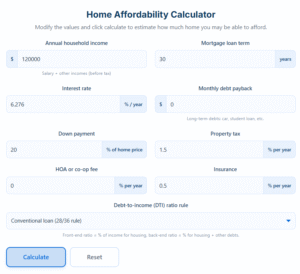
If you’ve ever sat staring at house listings wondering, “Okay… realistically, how much can I spend on a house?” trust…
Let’s face it — image formats can be confusing. One platform wants a JPG, another asks for PNG, and your phone might save files as WebP or HEIC. Instead of downloading multiple apps or paying for premium tools, you can now use the Image Converter section on Free Calculation Tools — your one-stop hub for converting any image format quickly, safely, and for free.
An image converter is a smart online tool that changes the format of your pictures without changing how they look. In simple terms, it helps your images “speak the right language” for any platform. Whether you want to turn PNG to JPG, transfer JPG to PNG, or convert modern formats like WebP or HEIC, these tools handle everything for you — instantly.
Think of it like a translator for images: it makes your photos compatible with websites, apps, printers, and editing programs — all without losing quality.
At Free Calculation Tools, you’ll find a growing list of converters designed for every type of user. Here are some of the most popular ones:
JPG to PNG Converter – Preserve transparency or get cleaner designs.
PNG to JPG Converter – Shrink file size for faster uploads.
WebP to JPG Converter – Convert Google’s modern web format into a standard, widely compatible type.
JPG to WebP Converter – Reduce file size by up to 80% without visible quality loss.
HEIC to JPG Converter – Perfect for iPhone users who need universal file compatibility.
BMP to JPG Converter – Make older bitmap files easier to share online.
TIFF to PNG Converter – Maintain clarity for printing or digital archiving.
GIF to PNG Converter – Keep still frames from animated files.
No matter what file you upload, there’s a tool here that’ll handle it — automatically and without confusion.
→ [Insert internal link to “Free JPG & PNG Converter” here]
→ [Insert internal link to “WebP to JPG Converter” here]
Here’s why this platform is a favorite among designers, students, and creators worldwide:
Free Forever – Every converter here is completely free to use — no trials, no limits, no watermarks.
No Installs Needed – Everything runs in your browser. Just upload your file, choose your format, and download instantly.
High-Quality Results – The converters preserve sharpness, color balance, and transparency so your image stays perfect.
Lightning-Fast Processing – Upload and conversion happen within seconds, even for large files.
Privacy Protected – Files are processed securely and deleted automatically after conversion.
Mobile Friendly – Works smoothly on phones, tablets, and computers.
It’s fast, clean, and reliable — built to make your daily digital work easier.
Wondering how people actually use these converters? Here are a few everyday examples:
Designers: Converting logos or graphics from PNG to JPG before uploading online.
Students: Preparing assignments that require specific file formats.
Photographers: Compressing large photo sets for faster sharing.
E-commerce Owners: Resizing and reformatting product images to boost website speed.
Developers: Adjusting image assets for apps and games.
Whatever your goal, having an online image converter ready saves hours of manual work.
All image converters on Free Calculation Tools follow the same three-step simplicity:
Upload – Drag and drop or select your image file.
Choose Output Format – Pick what you want (JPG, PNG, WebP, etc.).
Convert & Download – Click “Convert,” and your file is ready in seconds.
That’s it — no learning curve, no ads that block the screen, no sign-ups.
To make the most of these tools, here are a few quick tips:
Always start with the highest-quality version of your image.
For web uploads, JPG works best (smaller and faster).
For designs and transparent backgrounds, PNG is your friend.
For modern web use, try WebP — it’s lighter and SEO-friendly.
If your image looks blurry after conversion, check the compression level (most tools let you adjust it).
These little tweaks can make a big difference when you’re managing dozens of images for personal or business use.
There are hundreds of converters online — but here’s the truth: most of them are messy, ad-heavy, or charge after a few downloads. Free Calculation Tools stays different because it’s built with a purpose — to offer free, secure, and accurate calculation and conversion utilities in one place.
It’s not just an image converter hub — it’s a growing platform that helps users with everything from finance and health calculators to digital utilities like this one. Each tool is tested for speed, accuracy, and user experience.
So, when you visit this page, you’re not just converting images; you’re stepping into a reliable ecosystem that simplifies your digital life.