PNG to JPG Converter
Upload your images and convert them instantly to your desired format. Supports multiple files, drag and drop, and fast processing.
Drag & drop images here
or
You can select multiple images.
PNG to JPG Converter
Websites disallowing uploads of PNG files may be the reason why converting PNG files to JPG files is very convenient. It also isn’t uncommon to take a screenshot, save it as a PNG, and encounter problems uploading the file, regardless of the size. It can be very frustrating, and that’s where light, quick, and dependable converters come in really handy.
Conversion tools do not just change the file extensions. They also lighten the image, and make it easier to share and export to multiple platforms. They provide ease and quick results. It becomes a problem when a conversion is done and the result is blurry or faded.
Free Calculation Tools have a PNG to JPG Converter which has very streamlined processes, as it focuses on user experience. After uploading a PNG file and pressing a button, a JPG file can be downloaded within seconds. There is no need to log in or download a software. This is a very straightforward light software that operates entirely in browser, increasing accessibility without compromising functionality.
Before we go any further, let’s take a moment to be honest. Most people don’t know the difference between a PNG and a JPG, and you don’t need to unless you deal with images regularly. However, knowing a few key points will help you select the right file type to avoid problems with slow uploading, excessive storage, and strange incompatibility.
Have you tried sending a bundle of high-quality PNG images over WhatsApp? Your phone probably went crazy asking for storage. However, with JPGs, the same images go without using a massive chunk of your phone’s storage. This explains the common practice of converting PNGs to JPEGs.
This article will explain what converters do and the differences between PNGs and JPGs. It will explain how the tools at Free Calculation Tools help the average person and offer a streamlined process. There will be benefits, examples, a comparison table, and FAQs to ensure everything is consolidated.
Let’s understand the program first.
What Is a PNG to JPG Converter?
An online PNG to JPG converter is a tool used to change the format of an image from PNG to JPG or JPEG. Although both formats serve the same purpose, they work very differently. PNG images display more detail and can keep images transparent, which is why designers and screen capturing tools prefer them. However, this also results in a larger file size which could be problematic since uploading larger files to certain sites could lead to the upload being rejected.
Compared to PNG files, JPG files are easier to work with. JPG files are also compressed, which reduces the file size, and can still maintain a good quality image. This is why almost everywhere you look on the internet, social media, and even on applications, you will find JPG files.
When you use a converter, you are trying to get rid of the file weight that is unnecessary and saving it as a smaller JPG image. Other features of the Free Calculation Tools work automatically, which is great since you don’t have to have any technical skills. You don’t have to fiddle with quality sliders because they are set to default. You just need to upload the file, convert it, and then download the file.
For some background, both formats are known around the world. For more in-depth information, the Wikipedia pages for PNG and JPEG describe how each of the formats works in detail. But for most everyday users, what is more important is the convenience, and this is exactly what this converter offers.
Here is the cool part: Even though JPG compresses the file, most people will hardly notice any difference in quality. Your image is still clear, the colors are still vibrant, and the file is much easier to store and upload. For people that just want things to “work,” this tool is perfect.
How It Works
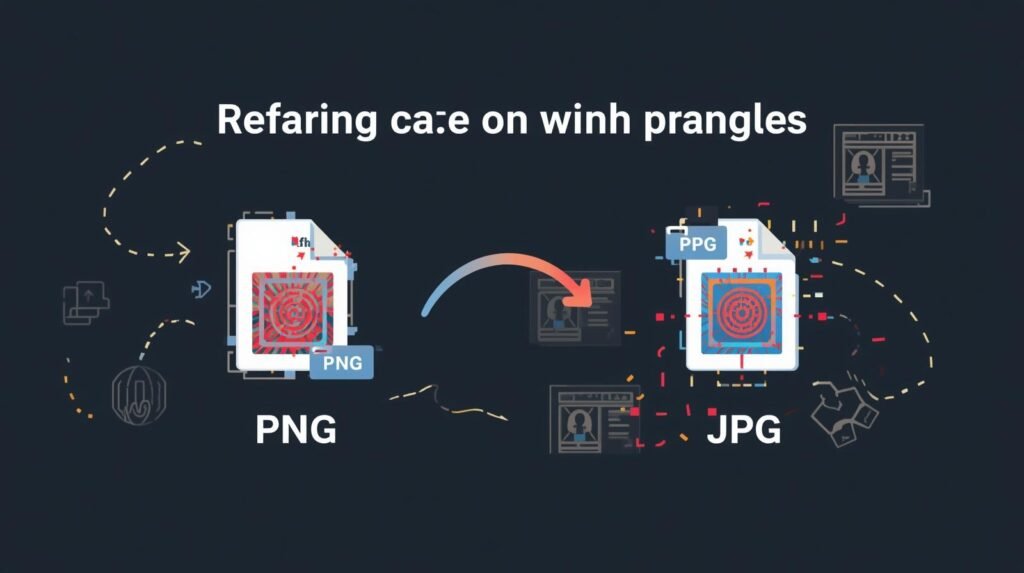
A file conversion tool that changes PNG images into JPG files simplifies the conversion process. You upload the PNG image and, just like that, you download a JPG image. While this seems straightforward, a lot of steps take place in between these two points. Let’s try to look at it from a human perspective, without the technical jargon.
When you upload a PNG file to the converter, the tool “reads” the document. Since PNG files have a lossless format, you are storing every detail in the file, even the ones that go unnoticed. That explains the large file sizes. The converter then takes this information and applies a compression algorithm into the JPG format. The JPG format is meant to store and share images without unnecessary bloat.
Think of it like folding a thick blanket so it fits in your cupboard. The blanket is still the same blanket, but you’ve saved space without ruining it.
The actual conversion process involves:
- Removing transparency (since JPG doesn’t support it)
- Compressing image data to reduce size
- Optimizing colors for a smaller output file
- Ensuring the image still looks clean and usable
In modern browsers, like those on Free Calculation Tools, most converters work directly in your browser. No files will be stored, and nothing gets sent to a server. This keeps everything safe and fast, and helps those with privacy concerns.
Accessing and using converters online is far more convenient, and people enjoy that. No installation is needed, and you don’t need expensive software like Photoshop. You don’t even need prior experience, since a click is all it takes to perform a conversion.
Conversion speed is another major reason people prefer online tools. You can convert a 10MB or 20MB PNG in a few seconds, depending on your connection. Additionally, since JPG files are the final outputs, sharing completed work is easy.
No matter the reason— uploading product images to an online store, compressing images for your blog, or wanting smaller files on your phone— this tool is able to do all of these without a hitch.
Key Features
A good png to jpg converter isn’t just about changing formats. It’s about making your life easier. The tool on Free Calculation Tools includes everything a normal user expects — and a few extra touches that make the experience smoother.
Here are the features people appreciate the most:
• Fast Upload & Conversion
You won’t wait long. The tool processes images almost instantly, even if your PNG is large.
• High-Quality Output
Even after compression, your JPG remains sharp and clear. Colors stay true, and details don’t disappear.
• Works on Any Device
Phone, tablet, laptop — anything with a browser works. No downloads. No complicated steps.
• Simple, Clean Interface
No clutter. No confusing buttons. Just upload → convert → download.
• Automatic Compression
Your file size drops dramatically without needing to adjust settings manually.
• No Installation Required
Since everything runs online, your device stays clean and fast.
• Privacy-Friendly
Files are handled inside your browser session. Nothing is stored or shared.
• Free Forever
Like all tools on Free Calculation Tools, you won’t pay to use it. No hidden fees, no subscription, nothing.
• Supports Standard PNG & JPG Formats
Your converted file will work anywhere — websites, apps, social media, documents, email, and more.
These features make this converter a reliable daily tool for students, bloggers, designers, small business owners, and anyone who deals with images.
Benefits of Using Free Calculation Tools
When people think about converting images, they usually imagine downloading some heavy software or dealing with confusing steps. But the truth is, most of us just want something quick and easy — and that’s exactly where Free Calculation Tools shines. Every tool on the website is built with one simple goal: make complicated things feel effortless.
Using the png to jpg converter on Free Calculation Tools comes with real, everyday benefits. Not theoretical ones — but actual things you’ll notice right away.
1. It Saves Time
Nobody wants to wait for software to open, install, load, or update. With this online converter, you click once and the conversion happens almost instantly. If you’ve ever tried converting images right before submitting an assignment or uploading product photos, you know how stressful delays can be. This tool cuts all of that out.
2. Makes Your Files Smaller Without Killing Quality
One of the biggest reasons people use JPG instead of PNG is file size. PNG files can be huge — especially screenshots, banners, and high-resolution images. When you convert PNG to JPG, you shrink the file dramatically while keeping it clear enough for everyday use.
And the best part? The tool handles compression automatically. You won’t lose visible image quality unless you zoom in like a detective looking for evidence.
3. Works Straight From the Browser
There’s something comforting about a tool you can use anywhere. Whether you’re on a school computer, your phone, or a laptop that isn’t yours, you can open the website and convert your image right away. You don’t need admin permissions, graphic design skills, or expensive software.
4. Perfect for Uploading Images Online
Some websites only support JPG. Others accept PNG but warn you the file is “too large.” And some platforms — especially older ones — simply reject PNG files altogether. Using this converter makes sure your images work everywhere:
- social media
- blog platforms
- eCommerce sites
- online forms
- emails
- job applications
- school portals
It’s basically your backup plan for every situation.
5. Privacy You Can Trust
This is important. Some online converters upload your files to a server before converting them. That means your images pass through someone else’s system. On Free Calculation Tools, everything is processed inside your browser. Your files don’t get stored or shared anywhere. Once your tab is closed, it’s done.
6. It’s Completely Free — No Tricks
There are a lot of “free” tools online that aren’t really free. They ask you to sign up, add your email, download something, or pay after a few uses. But Free Calculation Tools isn’t like that. You open the page, convert your file, download it — and that’s it.
7. Great for Beginners and Experts Alike
Whether you’re a student trying to submit a school project or a shop owner preparing product photos, the tool fits all levels. There’s nothing to learn, nothing to study — it just works.
8. Reliable Results Every Time
The converted JPG files are compatible with almost everything. You won’t face strange errors, broken images, or mysterious color issues. The tool gives consistent, predictable results — and honestly, that’s all people want.
These benefits make the converter more than just a quick fix. It’s a handy everyday tool that saves time, storage, and effort — which is exactly why people keep coming back to Free Calculation Tools.
Who Can Use It? (With Example)
One of the best things about a png to jpg converter is that literally anyone can use it. You don’t need to know what pixels are. You don’t need to understand transparency layers or compression settings. If you can tap a button, you can use the tool.
Here are the groups that benefit the most:
1. Students and Teachers
Students often deal with assignment portals that reject certain file formats. Teachers receive projects from students using all kinds of devices — iPhones, Androids, tablets, Chromebooks — so file formats get messy quickly. Converting PNG to JPG keeps everything smooth.
Example:
Imagine a student preparing a science project. They screenshot diagrams in PNG, but the school portal only takes JPG under a specific file size. Instead of panicking, they drop the image into the converter and upload the JPG version instantly.
2. Bloggers and Writers
Blogging platforms love JPG because it loads faster. A PNG image can slow down a website, which hurts SEO. Bloggers use this converter to keep their pages clean, light, and fast.
3. Online Sellers (Etsy, Amazon, Shopify)
Product images are everything. But PNGs are too heavy for product listings. JPG is much more suitable and loads quicker, especially on mobile networks. Sellers often convert dozens of images before uploading them.
4. Social Media Creators
Instagram, Facebook, TikTok thumbnails, YouTube covers — these platforms handle JPG better. PNGs can cause slow uploads or display issues. Creators convert files daily without realizing how much time it saves.
5. Office Teams and Remote Workers
Presentations, reports, email attachments — all of these work better when the file size is small. Office workers constantly deal with images that are “too large to attach.”
6. Designers & Developers
Even professionals use converters when they want quick files without opening heavy software. Sometimes you just need a fast solution.
7. Everyday Users
Screenshots, memes, photos of documents — we all use them. A simple converter becomes a small, everyday helper.
The point is simple: this tool is built for everyone, and you don’t need any technical background to use it. Whether you’re editing photos, submitting homework, or managing an online store, converting files keeps your workflow smooth.
Comparison Table: PNG vs JPG
Before choosing the right format, it helps to understand how PNG and JPG differ. Here’s a clean, simple comparison:
| Feature | PNG | JPG |
|---|---|---|
| File Size | Large | Small |
| Compression Type | Lossless | Lossy |
| Supports Transparency? | Yes | No |
| Best For | Screenshots, logos, graphics | Photos, web uploads, social media |
| Color Quality | Very high | High but lighter |
| Browser Compatibility | Excellent | Excellent |
| Storage Usage | Heavy | Light |
| Upload Speed | Slower | Faster |
| Use Case Examples | Design, printing, UI assets | Blogs, product photos, social posts |
Now, what does this table actually mean?
- If you need sharp graphics or transparency → PNG is better.
- If you need small sizes and fast sharing → JPG wins.
- If your platform rejects PNG files → converting them solves the problem instantly.
For most daily activities, JPG is more practical. That’s why tools that let you quickly change PNG to JPG are incredibly useful.